How To Virus Scan and Malware Protection for Salesforce 2026
Salesforce is used to share files within the organization as well as with customers, partners, and other 3rd parties. The risk of viruses, trojans, ransomeware, and malware spreading through Salesforce is real. attachmentAV for Salesforce adds a layer of protection powered by the well-trusted Sophos engine. In the following, you will learn how virus and malware scanning for Salesforce works with attachmentAV.
How to scan Salesforce files and attachments immediatly after upload?
attachmentAV for Salesforce scans all file uploads for viruses, trojans, ransomware, and other kinds of malware.
- An internal or external user uploads a file.
- The attachmentAV app sends a scan job to the attachmentAV backend.
- The attachmentAV backend downloads the file from Salesforce and runs the Sophos engine to detect malware.
- The attachmentAV backend informs the attachmentAV app about the scan result.
- The attachmentAV app blocks downloads or deletes the infected file.
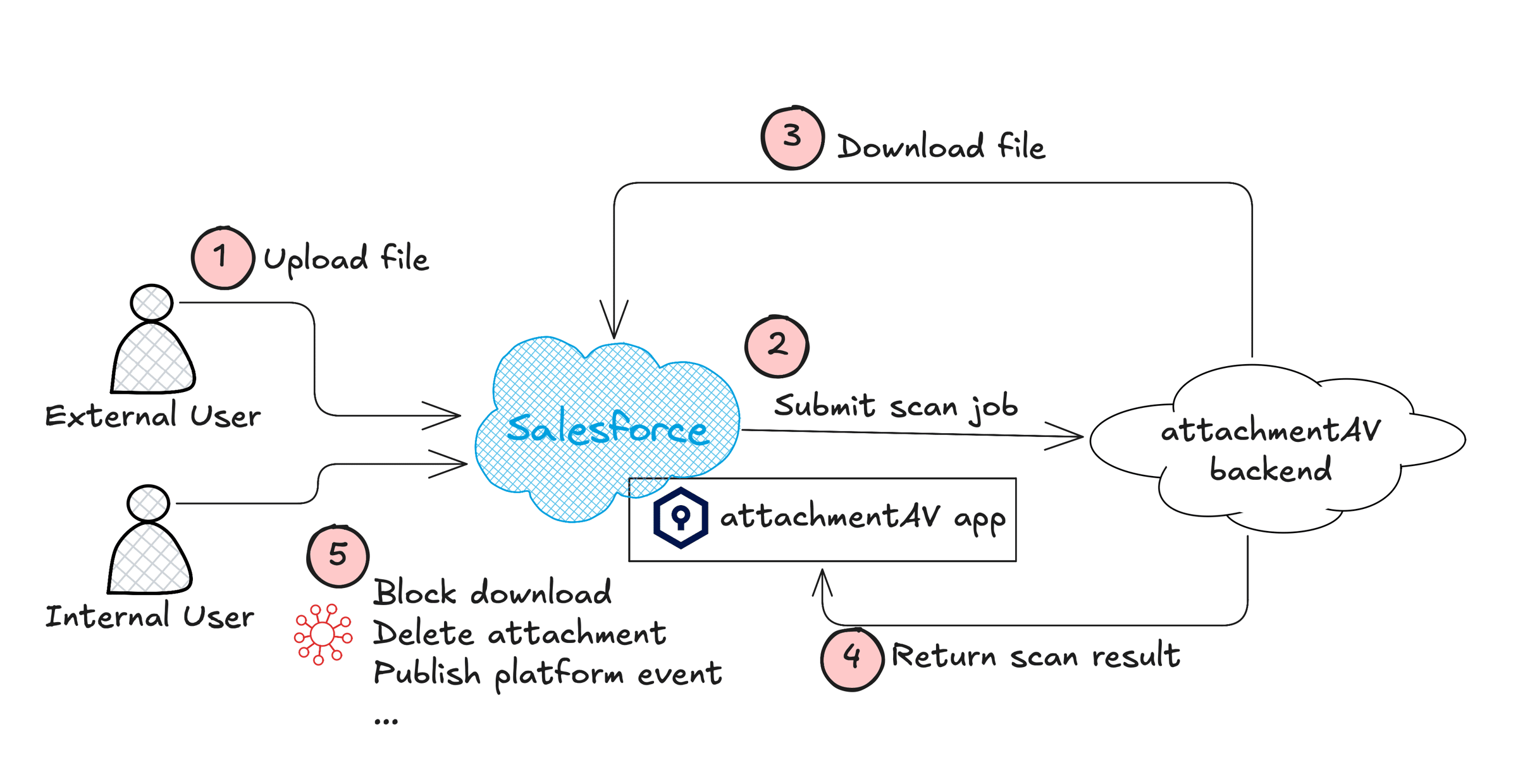
The whole process happens within seconds to protect your Salesforce organization from malware. attachmentAV for Salesforce supports Salesforce files as well as attachments. Salesforce files are internally represented by the ContentVersion object. Attachments are internally represented by the Attachment object. Attachments are most often created by the Email-To-Case feature.
Scanning files immediately after they have been uploaded to Salesforce is an important scan mode supported by attachmentAV.
How to run a virus scan on all Salesforce files?
However, it is necessary to be able to scan through all existing files stored within your Salesforce organization.
- Initial scan after setting up attachmentAV - Ensure that all files that have been uploaded before activating malware protection are getting scanned as well.
- Re-scan all objects with latest detection capabilities - The antivirus engines Sophos is getting better at detecting viruses and other kinds of malware. Therefore, re-scanning all files based on a schedule (e.g., monthly) increases the detection rate.
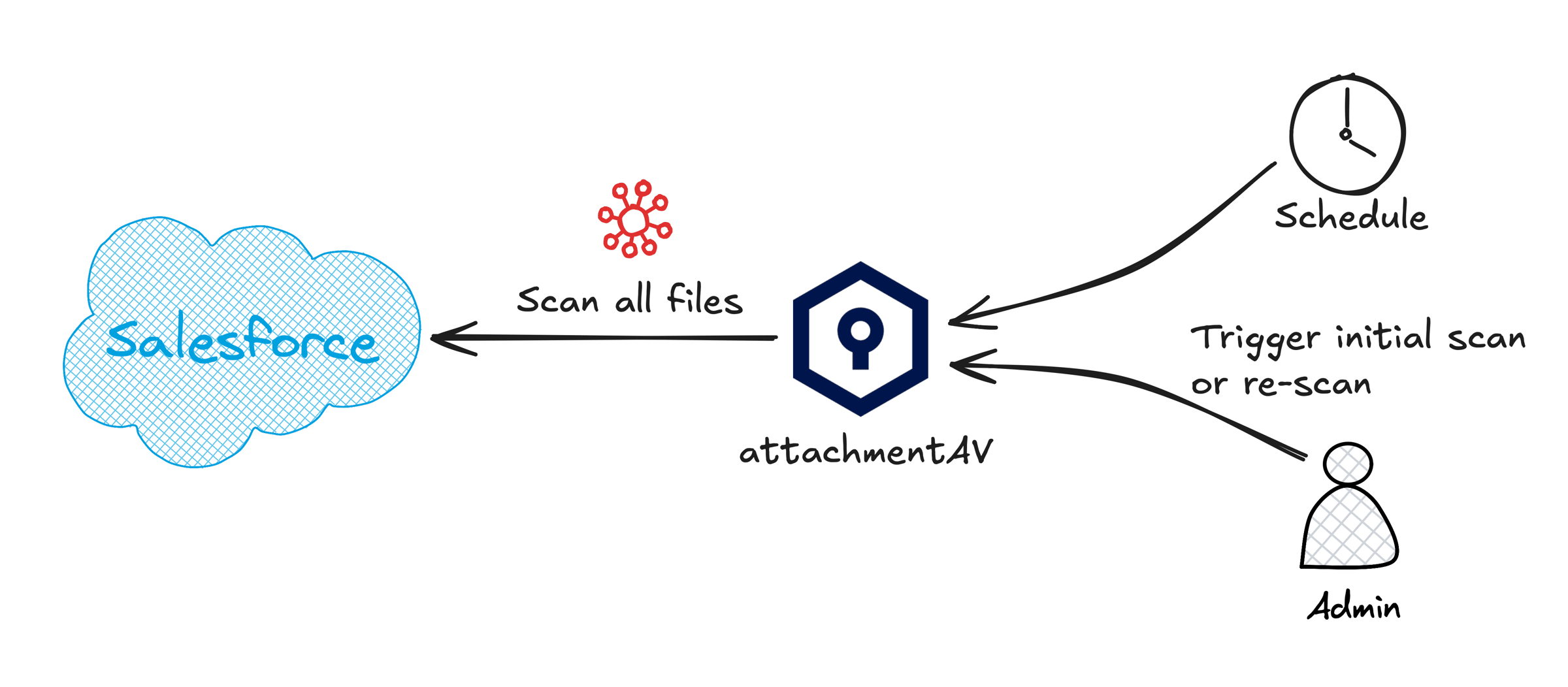
attachmentAV for Salesforce supports full scans triggered by a schedule or on-demand.
Block access to infected Salesforce files and attachments
What happens when attachmentAV for Salesforce detects an infected file?
Our recommended mitigation action is to block access to infected files. So whenever a user tries to download an infected file, attachmentAV will block the download.
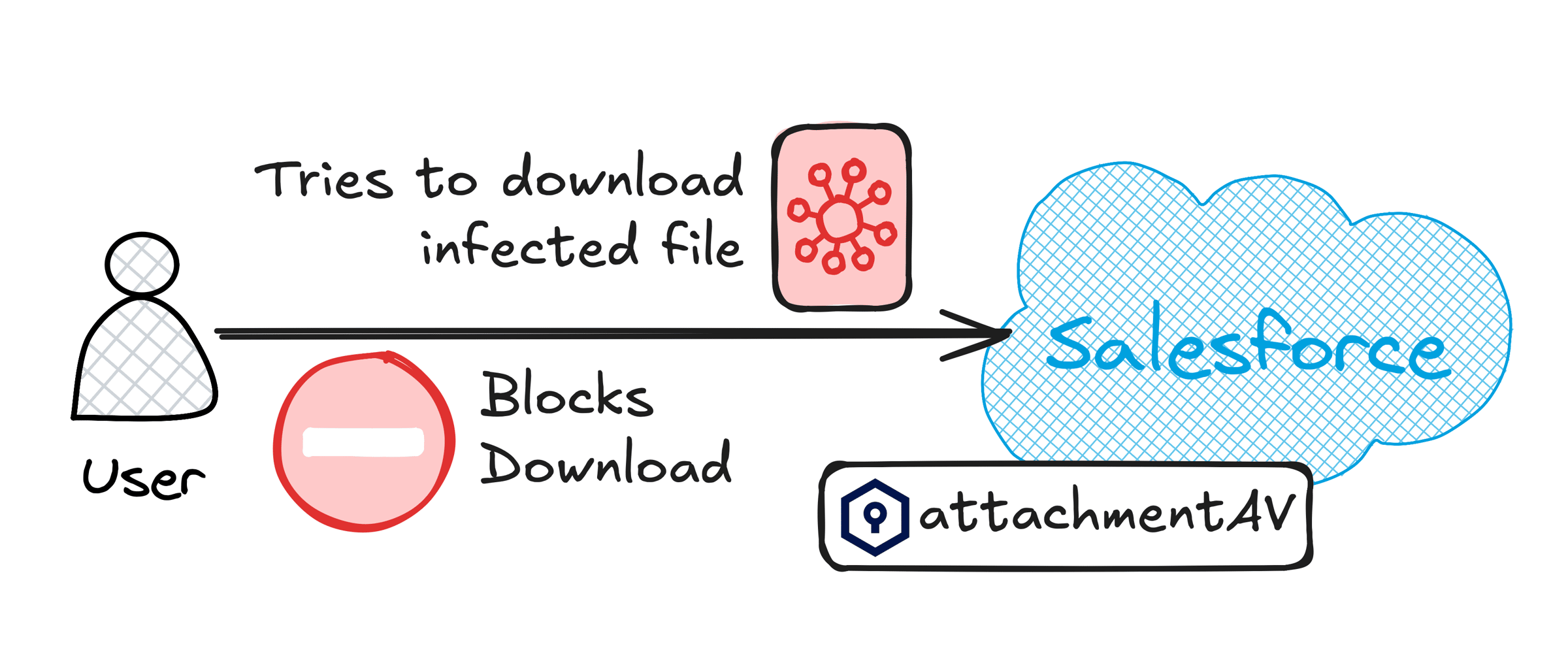
Besides that, attachmentAV for Salesforce supports the following automated mitigations:
- Block access to infected file
- Delete infected file
- Do nothing
On top of that, attachmentAV for Salesforce can send notifications to users or the platform.
Customize virus and malware scanning to the needs of your Salesforce organization
Every Salesforce organization is different. Configure attachmentAV to your needs.
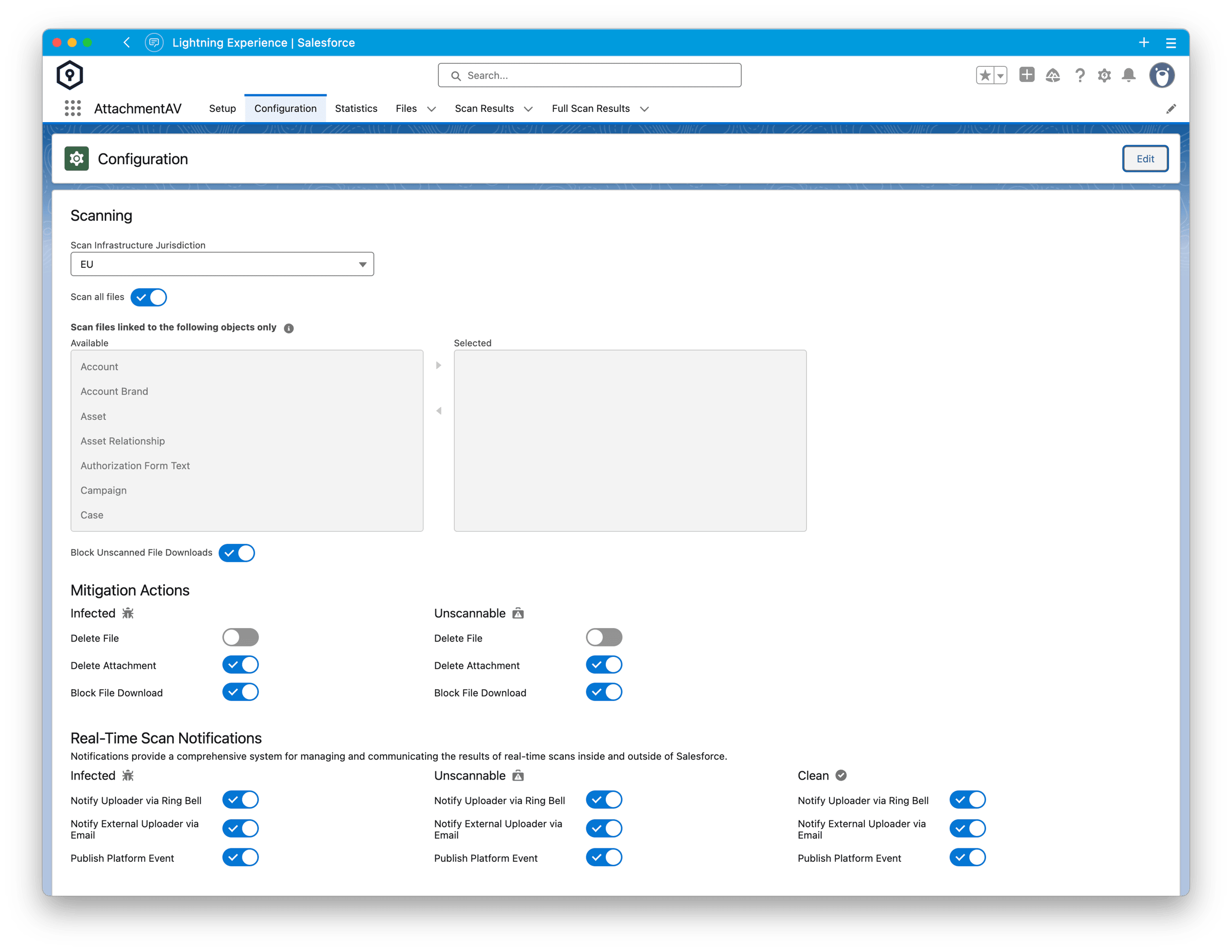
- Choose the region for data processing (EU, US, Canada, India, …).
- Configure which attachments should be scanned depending on the object the attachments belong to.
- Select the automated mitigation actions for infected and unscannable attachments.
- Choose the notification types for infected, unscannable, and clean attachments.
Get insights into attachmentAV for Salesforce malware protection
attachmentAV for Salesforce comes with advanced reporting capabilities. The dashboard shows the number of scans over time as well as an overview of the scan results.
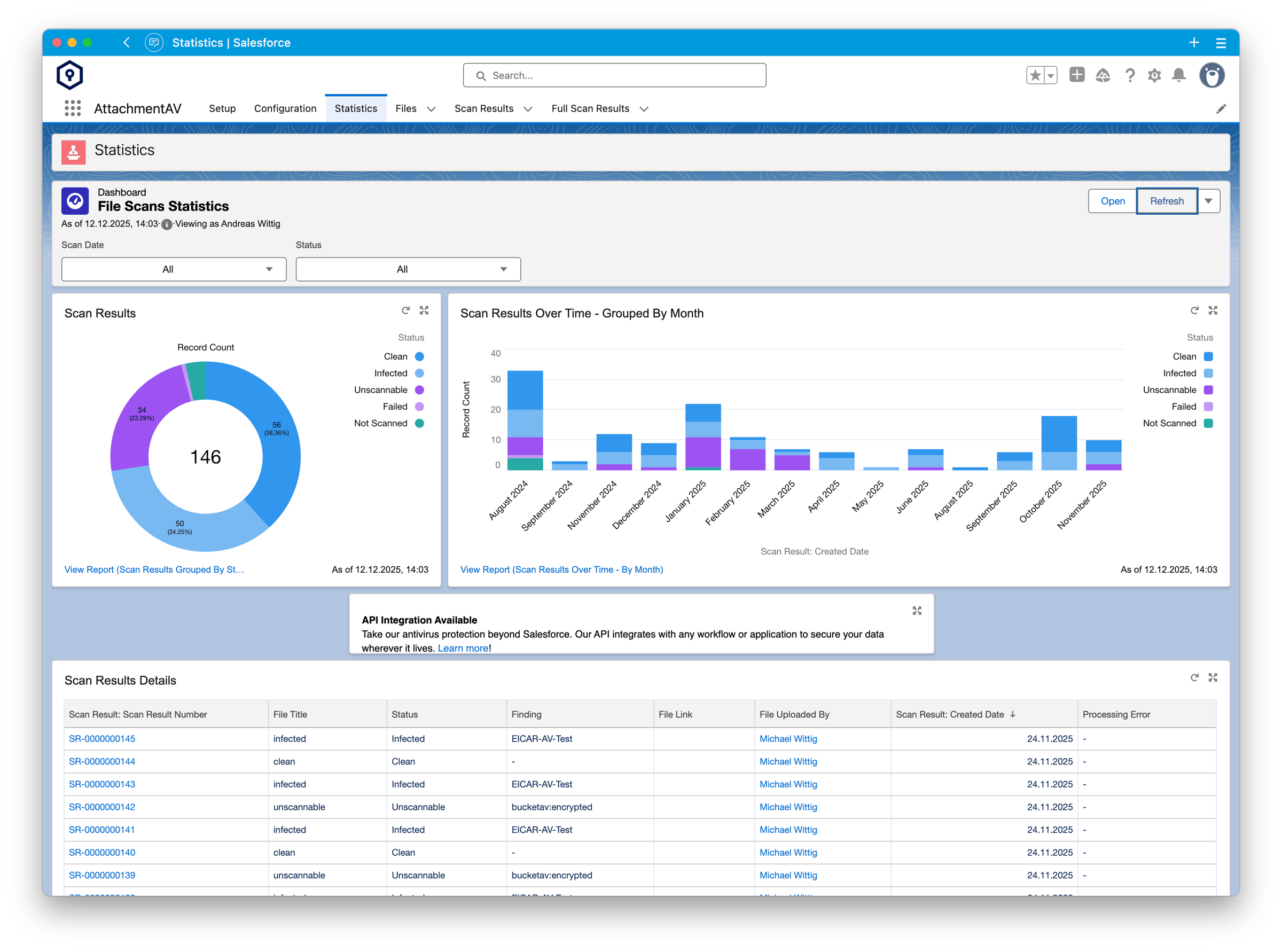
Besides that, attachmentAV also provides insights into an audit log listing every scan and its result.
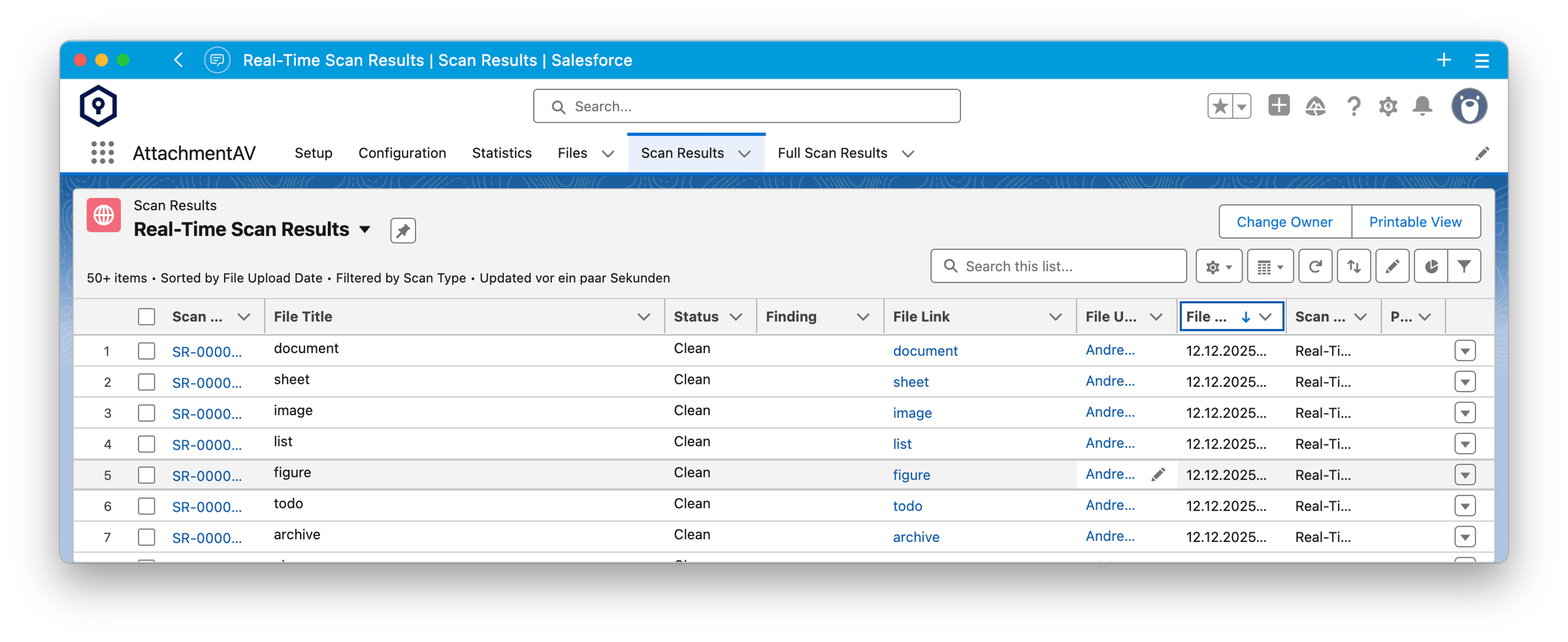
The dashboard and the scan result audit log provide insightful insights into the virus and malware scan activity of attachmentAV.
Get started!
Install and configure attachmentAV for Salesforce by following our detailed setup guide.
Guidance needed?
Do you wonder how to implement malware scanning for Salesforce with attachmentAV for your use case?
Are you still unsure whether attachmentAV for Salesforce is the suitable solution?
We are happy to help! hello@attachmentav.com
Published on July 23, 2026 | Written by Andreas