Virus Scan for Laravel: Malware Protection for File Uploads in PHP
Laravel makes accepting file uploads easy: a form, a validate() call, and $request->file(). But the file and mimes validation rules only check what a file claims to be, not what it contains. A PDF invoice, a Word document, or a ZIP archive uploaded by a user can carry a virus, trojan, or ransomware. Once stored, that file is downloaded by your colleagues, processed by your queue workers, or served to other customers. This post shows how to add a virus and malware scan to your Laravel application with the attachmentAV SDK for PHP, using a complete example you can run on your machine in a few minutes.
Try the Laravel example
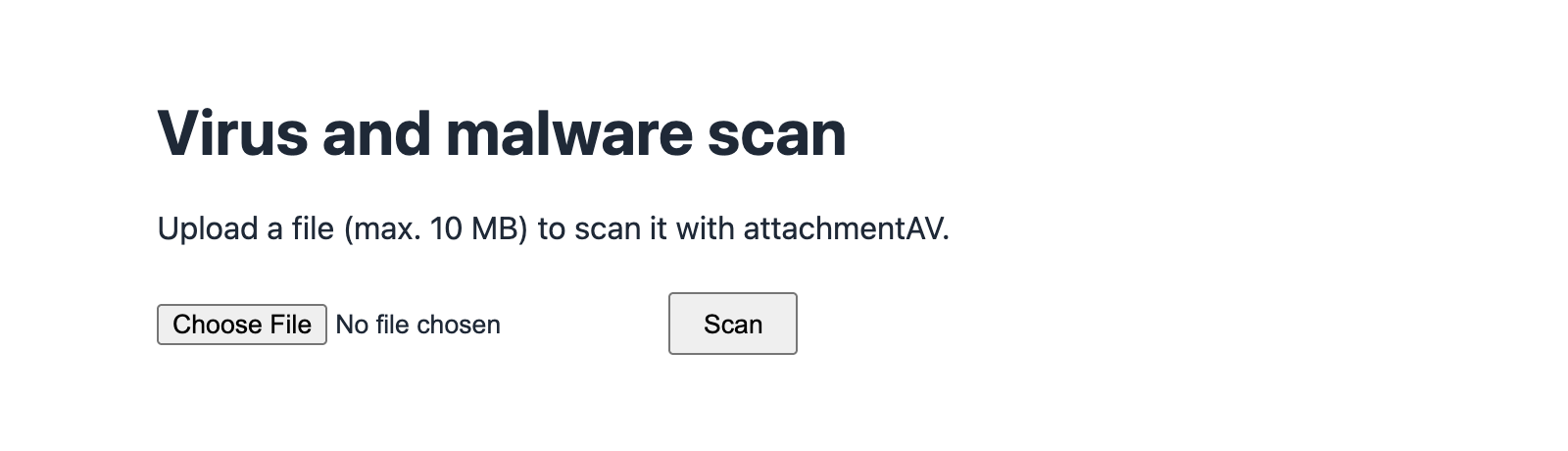
The SDK repository contains a minimal Laravel app: an upload form that scans the uploaded file and shows the scan result. All you need is Docker and an API key. Get the API key by subscribing to the attachmentAV API (SaaS).
Clone the repository and start the example.
git clone https://github.com/widdix/attachmentav-sdk-php.git
cd attachmentav-sdk-php/examples/laravel
ATTACHMENTAV_API_KEY=<API_KEY_PLACEHOLDER> ATTACHMENTAV_REGION=eu docker compose up --build
The Docker image creates a fresh Laravel 12 project with PHP 8.4, installs the SDK, and copies the example files into it. Open http://localhost:8000 and upload a file. A clean file shows the status clean, its size, and the real file type detected by attachmentAV, no matter which file extension the file has.
To see a detection, upload the EICAR test file. It is a harmless file that every antivirus engine detects as malware. The page shows the status infected and the finding EICAR-AV-Test.
Do you run the attachmentAV API self-hosted in your AWS account? Point the example to your own endpoint.
ATTACHMENTAV_DEPLOYMENT=self-hosted ATTACHMENTAV_API_KEY=<API_KEY_PLACEHOLDER> \
  ATTACHMENTAV_BASE_URL=https://attachmentav.yourcompany.com/api/v1 docker compose up --build
How the example works
Let’s walk through the code. In your own Laravel project, install the SDK with Composer first. Laravel already includes Guzzle, which the SDK uses as its HTTP client.
composer require attachmentav/virus-scan-sdk
Laravel discovers the service provider and the AttachmentAV facade automatically. Add the configuration to your .env file.
ATTACHMENTAV_API_KEY=<API_KEY_PLACEHOLDER>
ATTACHMENTAV_REGION=eu
The region defines where your files are scanned: Europe (eu), United States, Canada, India, or Australia.
Routes
Two routes are all the example needs: one to show the upload form and one to receive the upload.
use App\Http\Controllers\ScanController;
use Illuminate\Support\Facades\Route;

Route::get('/', [ScanController::class, 'show'])->name('scan.show');
Route::post('/', [ScanController::class, 'scan'])->name('scan.scan');
Controller
The controller validates the upload and passes the uploaded file to scanSyncFile(). The SDK client AttachmentAVApi is injected by Laravel’s service container. There is no need to construct it yourself.
namespace App\Http\Controllers;

use AttachmentAV\AttachmentAVApi;
use AttachmentAV\Exception\ExceptionInterface;
use Illuminate\Http\Request;
use Illuminate\View\View;

class ScanController extends Controller
{
    public function scan(Request $request, AttachmentAVApi $attachmentAV): View
    {
        // The attachmentAV API (SaaS) accepts files up to 10 MB for sync scans.
        $request->validate([
            'file' => ['required', 'file', 'max:10240'],
        ]);

        $file = $request->file('file');

        try {
            $result = $attachmentAV->scanSyncFile($file->getRealPath());
        } catch (ExceptionInterface $e) {
            return view('scan', [
                'filename' => $file->getClientOriginalName(),
                'error' => $e->getMessage(),
            ]);
        }

        return view('scan', [
            'filename' => $file->getClientOriginalName(),
            'result' => $result,
        ]);
    }
}
Laravel stores the upload in a temporary file, and getRealPath() returns its path. The SDK sends the file to attachmentAV and returns the scan result within seconds. All SDK exceptions implement ExceptionInterface, so a single catch block handles network errors, an invalid API key, or an exceeded quota.
View
The Blade view renders the upload form and the scan result. The scan result provides the status, the name of the detected malware, the file size, and the real file type.
<form method="post" action="{{ route('scan.scan') }}" enctype="multipart/form-data">
    @csrf
    <input type="file" name="file" required>
    <button type="submit">Scan</button>
</form>

@isset($result)
    <div class="result {{ $result->getStatus() }}">
        <dl>
            <dt>File</dt><dd>{{ $filename }}</dd>
            <dt>Status</dt><dd>{{ $result->getStatus() }}</dd>
            @if ($result->getFinding())
                <dt>Finding</dt><dd>{{ $result->getFinding() }}</dd>
            @endif
            <dt>Size</dt><dd>{{ $result->getSize() }} bytes</dd>
            <dt>Real file type</dt><dd>{{ $result->getRealFileType() ?? 'unknown' }}</dd>
        </dl>
    </div>
@endisset
The status is one of the following:
clean: no malware found.infected: malware found.getFinding()returns the name of the virus, trojan, or other threat.no: the file could not be scanned, for example, an encrypted archive.
Handle oversized uploads
PHP discards uploads larger than post_max_size before Laravel even starts the session. Laravel throws a PostTooLargeException and shows an error page. The example registers a renderable in the AppServiceProvider to redirect back to the form with a friendly message instead.
public function boot(): void
{
    $this->app->make(ExceptionHandler::class)->renderable(function (PostTooLargeException $e) {
        return redirect()->route('scan.show', ['error' => 'too-large']);
    });
}
Remember to set upload_max_filesize and post_max_size in your php.ini so that PHP accepts the files you want to scan. The example uses 10 MB and 12 MB.
Reject infected files with the VirusFree validation rule
The example shows the scan result to demonstrate what the API returns. In a real application, you usually want to reject infected files before they reach your storage. The SDK ships with the VirusFree validation rule (Laravel 10+) for exactly that.
use AttachmentAV\Laravel\Rules\VirusFree;

$request->validate([
    'attachment' => ['required', 'file', 'max:10240', new VirusFree()],
]);

$request->file('attachment')->store('attachments');
The rule fails if the file is infected, cannot be scanned, or if the API cannot be reached. Laravel redirects back to the form with a validation error, just like for any other rule. Only files that passed the virus scan get stored. Two options let you relax the rule:
new VirusFree(allowUnscannable: true)accepts files that attachmentAV cannot scan, such as encrypted archives.new VirusFree(failOnError: false)accepts files unscanned during transient errors such as network errors or throttling. Errors that would let every file through unscanned, such as an invalid API key or an exceeded quota, still fail validation.
Prefer a facade over dependency injection? AttachmentAV::scanSyncFile() works the same way.
use AttachmentAV\Laravel\Facades\AttachmentAV;

$result = AttachmentAV::scanSyncFile($request->file('attachment')->getRealPath());
Before going to production
The example uses PHP’s built-in web server, which is fine for trying it out but not for production. Run your Laravel application with nginx and PHP-FPM, or FrankenPHP, as usual.
Sync file scans with the attachmentAV API (SaaS) support files up to 10 MB. For larger files, let attachmentAV download the file from a URL with scanSyncDownload() (up to 200 MB) or scan it in the background with scanAsyncDownload() (up to 5 GB). The announcement of the SDK for PHP covers both, including how to verify callbacks.
Why attachmentAV for malware protection in Laravel
Running ClamAV on your own servers means installing a daemon, distributing signature updates, and monitoring yet another service. With attachmentAV, your Laravel application makes an HTTPS request and gets a verdict back.
- Every file is scanned by the Sophos engine. The threat database is refreshed hourly and catches viruses, worms, trojans, and ransomware.
- Made in the EU, ISO 27001 certified, and GDPR compliant. Files are encrypted in transit and at rest, and deleted immediately after processing.
- Available as SaaS or self-hosted in your AWS account, with the same SDK.
Get started
- Subscribe to the attachmentAV Virus and Malware Scan API to get an API key.
- Run the Laravel example with
docker compose up --build. - Install the SDK in your Laravel project with
composer require attachmentav/virus-scan-sdkand add theVirusFreerule to your upload validation.
Questions or feedback? Open an issue on GitHub or send us an email.
Published on October 21, 2026 | Written by Andreas