attachmentAV for Salesforce: Mitigation
Mitigation is all about minimizing or removing the impact of a security threat. attachmentAV for Salesforce can take specific actions to prevent the spread of the security threat.
By default, access to infected files is blocked to mitigate threats as quickly as possible. The following table shows additional options.
| Scan result | Actions |
|---|---|
| Not Scanned | do nothing, block |
| Clean | do nothing |
| Infected | do nothing, block, delete |
| Unscannable | do nothing, block, delete |
Go to the configuration page to modify the mitigation actions.
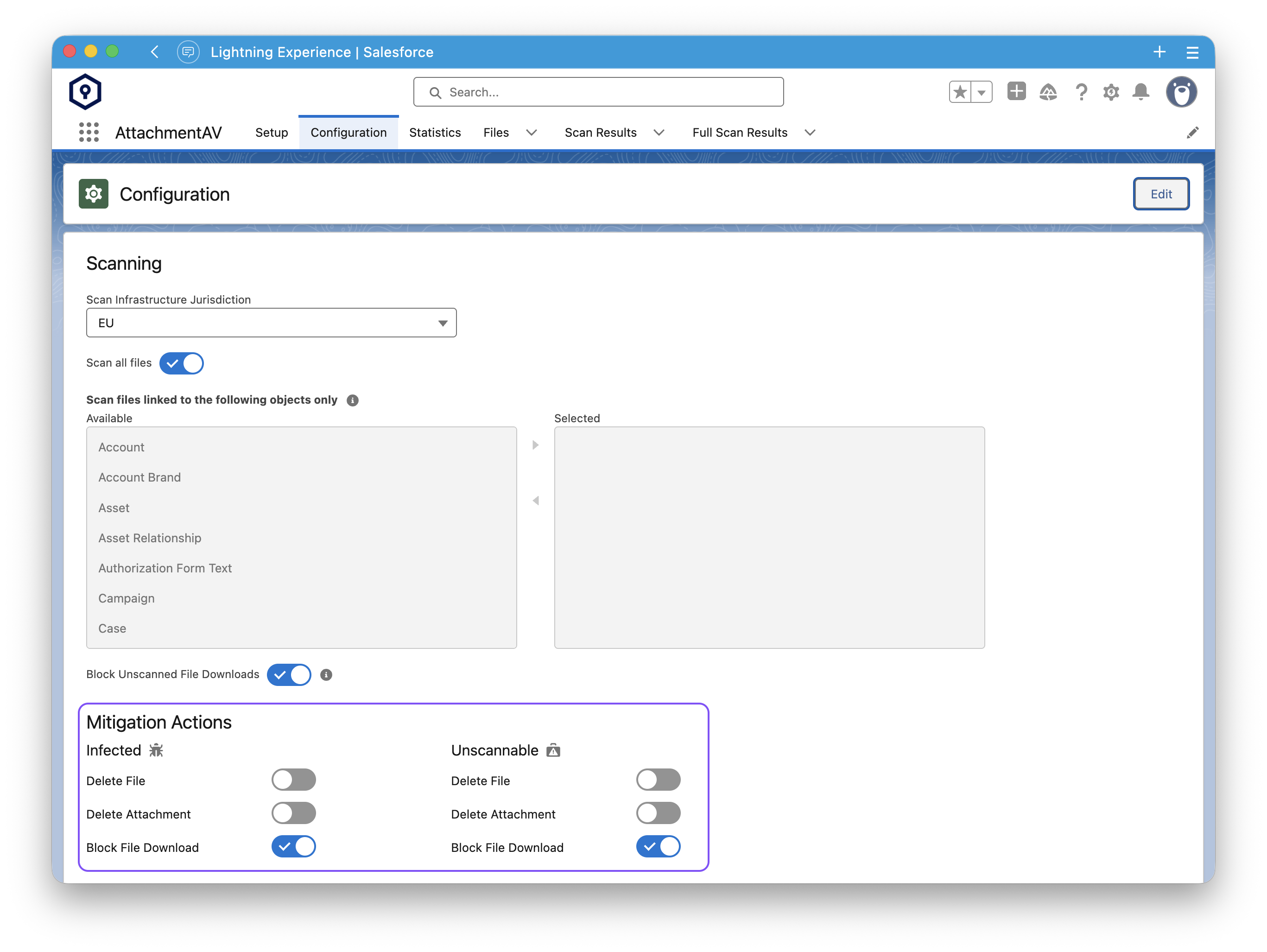
Block File Download (#)
When enabling Block File Download for infected or unscannable files, users are getting redirected to a failure page when trying to access a file.
The option Block Unscanned File Downloads allows you to block access to files, that haven’t been scanned by attachmentAV yet. This is to mitigate the risk, that users access infected files during the short period between file upload and the virus and malware scan being completed.
We recommend to run a full scan before enabling Block Unscanned File Downloads, otherwise files uploaded before attachmentAV was active, are no longer accessible.
attachmentAV does not block access to files when using Salesforce’s built-in file preview. Also, files are still accessible through public links.
Delete (#)
Be aware, that files deleted by attachmentAV cannot be restored. Before enabling this option consider the risk of data loss due to files getting marked as infected incorrectly by the virus and malware scan engine, so called false positives.
- Delete File to automatically delete infected or unscannable files.
- Delete Attachment to automatically delete infected or unscannable attachments.